- Clone this repo.
- Add src/XNA/FontStashSharp.FNA.csproj or src/XNA/FontStashSharp.FNA.Core.csproj to the solution.
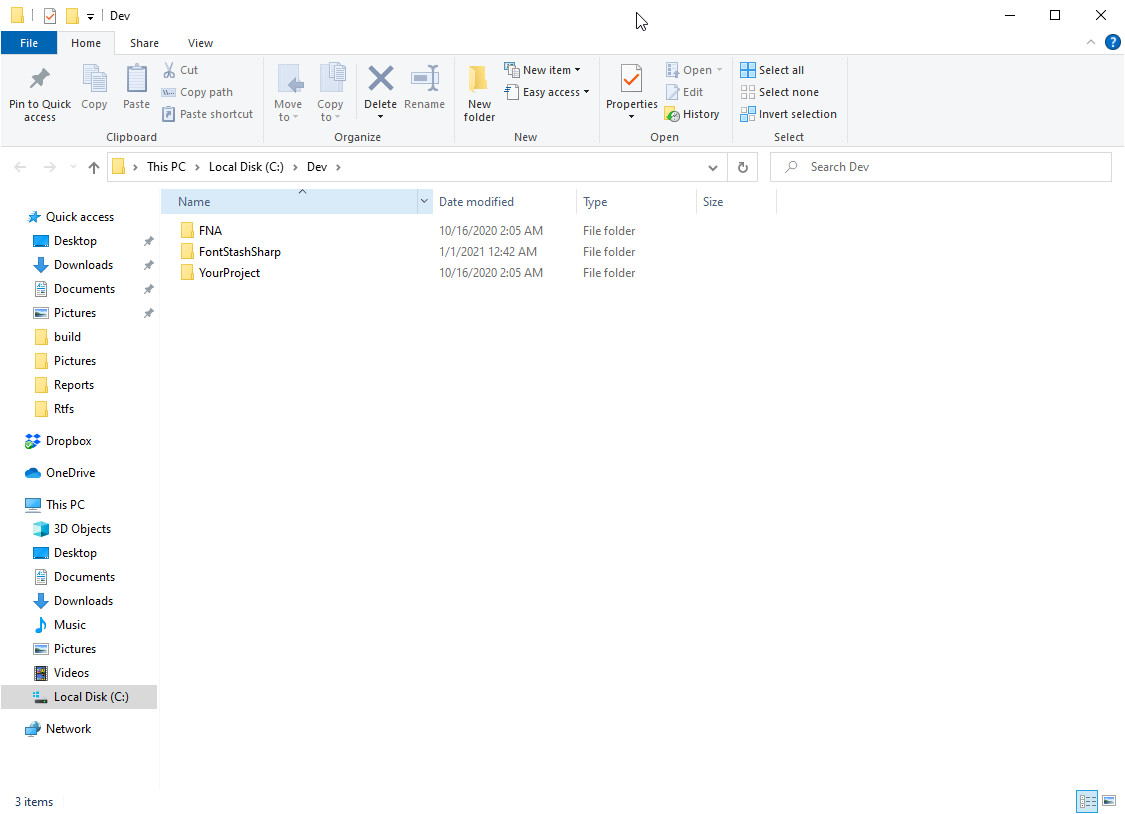
- The overall folder structure is expected to be following:
SDF Support
SDF text rendering requires the SDF effect shaders to be compiled into precompiled .efb blobs:
- Install or update efscriptgen - efscriptgen:
dotnet tool install --global efscriptgen
# or, to update an existing installation:
dotnet tool update --global efscriptgen
- Generate the compile scripts - navigate to the
src/XNA/Effectsfolder and execute:
efscriptgen .
Make sure
fxcis available in PATH - the FNA compile scripts invokefxc(the DirectX shader compiler). It ships with the Windows SDK underC:\Program Files (x86)\Windows Kits\10\bin\<version>\x64\. The simplest way to have it in PATH is to run the commands from a Developer Command Prompt / Visual Studio environment.Run the FNA compile script - this compiles all SDF effect variants into
src/XNA/Effects/FNA/bin/*.efb:
src/XNA/Effects/FNA/compile_all.bat
- Rebuild the project - the generated
Effects\FNA\bin\*.efbfiles are picked up automatically by theEmbeddedResourceitem on the next build.